

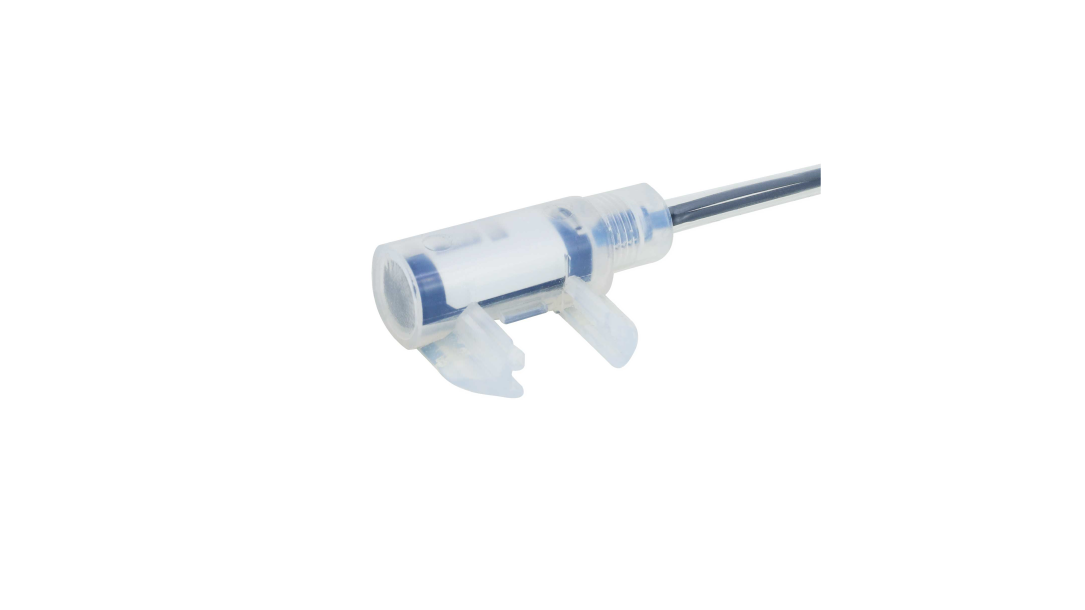
Specifications
| Part No. | 51662 |
|---|---|
| Model | NF-DW02 |
| Category | Liquid/Water detection type |
| Type | Square Liquid leakage detection |
| Detection method | Diffuse-reflective type |
| Optical axis direction | Side view |
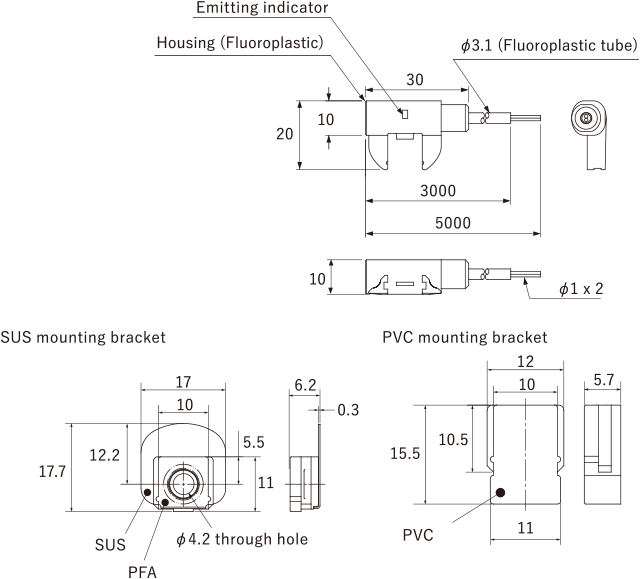
| Shape of fiber head | W30 x H17.7 x D20 mm |
| Sleeve | - |
| Optical axis diameter | - |
| Fiber length | 8 m (3 m: Fluoroplastic tube + 5 m) |
| Free-cut | Possible |
| Min. bending radius | Fiber R4 mm Fluoroplastic tube R20 mm |
| Degree of protection | IP67 (Excluding coated surfaces that have been cut) |
| Ambient temperature | -20 ... +50°C 0 ... 40°C (at 85 % RH) |
| Ambient humidity | 35 ... 85 % RH |
| Applicable regulations | RoHS directive (2011/65/EU) |
| Weight | Approx. 35 g |
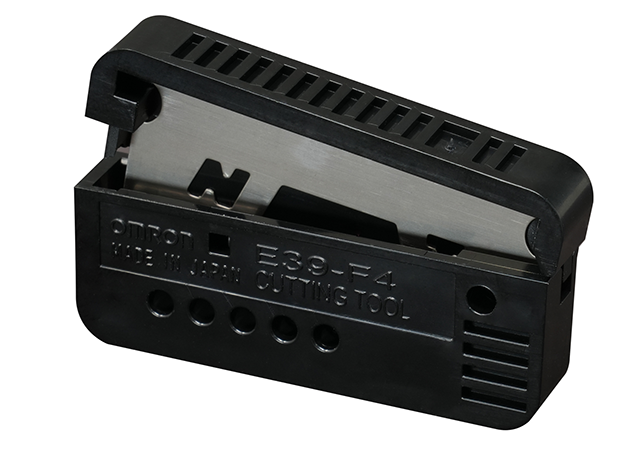
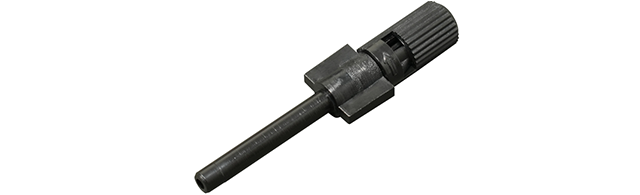
| Included items | Fiber Cutter, ø1.0mm Fiber adapter x 2, SUS Mounting bracket x 1, PVC Mounting bracket x 1 |
● SEMI S2 support
● Through use of capillary phenomenon can also detect minor liquid leakage and viscous liquid Included mounting brackets can be purchased separately.
Dimensions
Unit: mm
Mounting Method
-
- If using an SUS mounting bracket, thread a welded M4 stud bolt through the mounting hole on the mounting bracket and attach an M4 nut (not included with this product).

-
- If using a PVC mounting bracket, glue it to the mounting surface so that the side with “TOP” is facing up. Also, weld it within the welding area as shown in the diagram to the right.

-
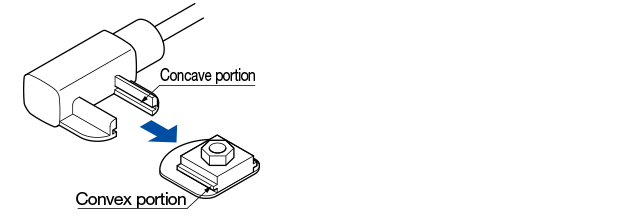
- Slide the convex portion of the mounting bracket attached to the steel case into the concave portion on the fiber until a “click” is heard.
Usage notes
-
- Clean NF-DW02 by wiping away all liquids that have adhered to the head and mounting bracket using a soft cloth. Also pay sufficient attention to any condensation that has formed on the detecting part.
- If the tips of the fibers are too short, be aware that the correct amounts of light may not be taken in, resulting in unstable detection.
- When installing NF-DW02, be sure to use the special mounting bracket as a countermeasure to human error (improper installation, etc.) Failure to use the special bracket may result in unstable detection. However, if using a PVC mounting bracket on the black matte part of the housing, sensing of human error (improper installation) may not be possible. Please confirm before using.
- When cutting the protective tubes, take care not to damage the fiber sheath.
- Perform sensitivity settings for the NF-DW02 only after any liquids have been removed, the head has been mounted to the special mounting bracket, and the fiber has been attached to the Fiber-Optic Cable. After performing the sensitivity adjustment, changing the fiber connection or installation will result in changes in the light detection volume, causing unstable detection. Changing fiber connections or installation during cleaning, etc., will have the same results. In such cases, perform amplifier sensitivity adjustments again.
- Amounts of light may decrease during extended periods of usage under conditions with high heat or humidity.
- Be aware that instability may occur in which a long period is necessary before detection stability can be regained if liquids incompatible with the materials of which the NF-DW02 head part is made (PFA) cause air bubbles to flood the detecting part. Always confirm the liquid to be detected before use.
- When cleaning the NF-DW02 confirm that the mounting bracket shows no scratching, contamination, or deformities.
- Water droplets adhered to the window will influence detection performance. Avoid use in areas where direct contact with water could be made. Also pay sufficient attention to any condensation that has formed on the pipe exterior.
Accessories

Correct Use
Contact Us
Our experts quickly deliver the best plan for your needs and provide continuous support throughout the process.
Product Inquiry / Technical Support- Download List
- 20