

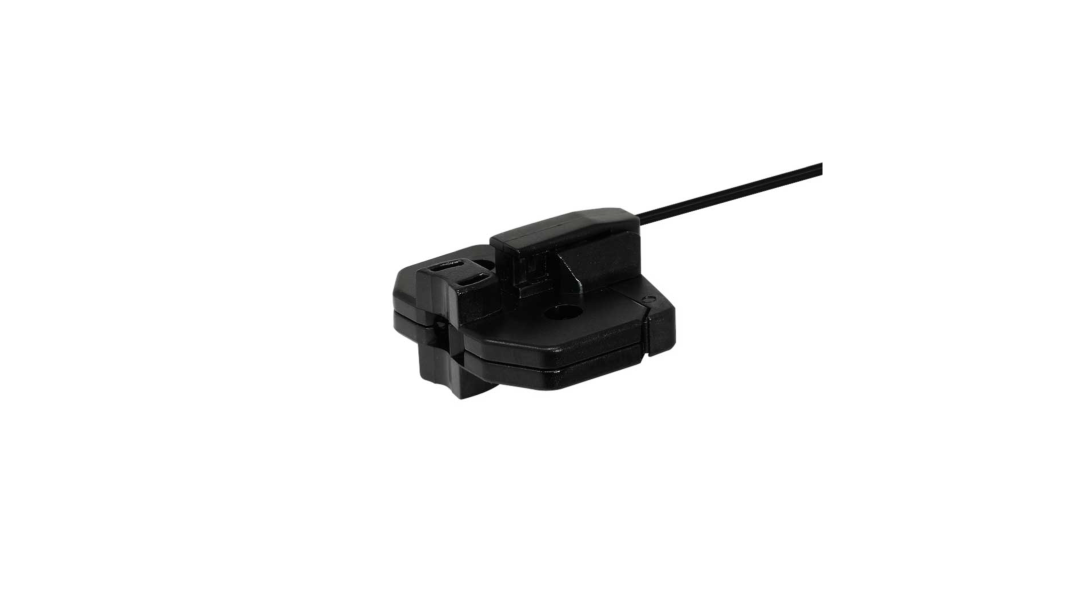
Specifications
| Part No. | 51639 |
|---|---|
| Model | NF-DF05 |
| Category | Liquid/Water detection type |
| Type |
Pipe-mounted Liquid level detection |
| Detection method | Diffuse-reflective type |
| Optical axis direction | Straight view |
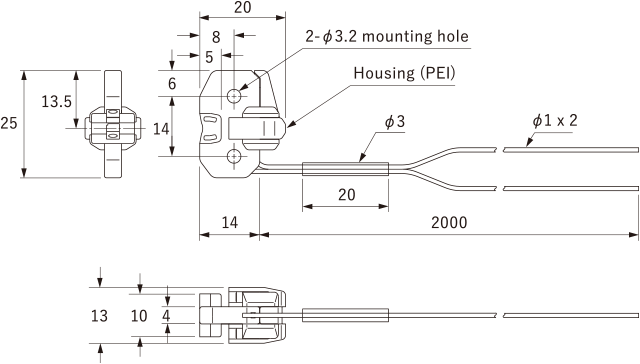
| Shape of fiber head | W25 x H13 x D20 mm |
| Sleeve | - |
| Optical axis diameter | - |
| Fiber length | 2 m |
| Free-cut | Possible |
| Min. bending radius | R10 mm |
| Degree of protection | - |
| Ambient temperature |
-40 ... +100°C 0 ... 40°C (at 85 % RH) |
| Ambient humidity | 35 ... 85 % RH |
| Applicable regulations | RoHS directive (2011/65/EU) |
| Weight | Approx. 6 g |
| Included items | Fiber Cutter, ø1.0 mm Fiber adapter x 2, Zip tie x 4, Anti-slip tube x 4 |
● For PFA pipes with outer diameter of ø6 to 26 mm and thickness of 1 mm, or pipes with same level of transparency
● With mounting position adjusting lever
Dimensions
Unit: mm
Mounting Method
-
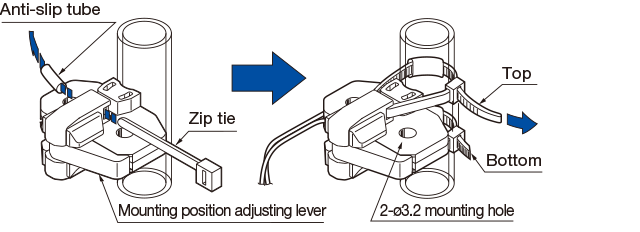
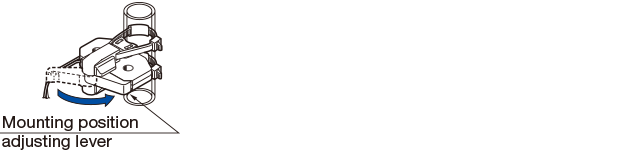
- Use the included zip ties and anti-slip tubes for mounting as shown in the diagram below. When mounting the Fiber-Optic Cables, make sure that the mounting position adjusting lever is in the closed position as shown in the diagram on the upper right. Also, use two zip ties on the upper and lower part to attach it securely, and cut off the any part of the zip ties that stick out.
-
- When additional zip ties are necessary, please use zip ties with a thickness 2.5 mm or smaller as shown by in the diagram below.

- M3 screws, plain washers and spring washers must be used when using the mounting holes.
(M3 screws, plain washers and spring washers are not included with this product.)
-
Adjusting the positions of pipe-mounted liquid level detection Fiber-Optic Cables
- The attachment position can be easily readjusted when using zip ties to mount this product.
<Adjustment method>
-
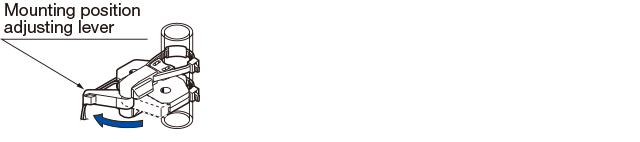
1. Pull the mounting position adjusting lever open in the direction of the arrow.
-
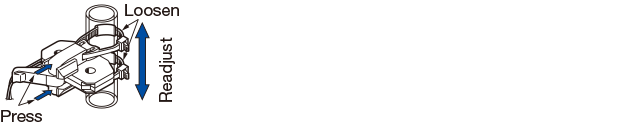
2. Push the movable part in the direction of the arrow to loosen the zip tie, and readjust the mounting position.
-
3. Close the mounting position adjusting lever in the direction of the arrow to return it to its original position.
-
Note 1: Sensitivity settings must be reconfigured after readjusting the mounting position.
Note 2: The positioning lever is for readjusting the mounting position on this device, not for tightening the zip ties. Tightening the zip ties while the mounting position adjusting lever is open and then closing the mounting position adjusting lever will damage the fibers.
Usage notes
-
- When cutting the protective tubes, take care not to damage the fiber sheath.
- Amounts of light may decrease during extended periods of usage under conditions with high heat or humidity.
- Water droplets adhered to the window will influence detection performance. Avoid use in areas where direct contact with water could be made.
Also pay sufficient attention to any condensation that has formed on the pipe exterior.
-
- Be aware that some low-transparency liquids and highly viscous liquids with stability may not be able detect.
- Incomplete pipe mounting may have a severe influenced on detection performance. Use the included anti-slip tubes and install the detecting part to the pipe so it does not move.
- The NF-DF05 cannot properly detect through opaque pipes.
- Attach the detecting part so it is secured to the pipe. Failure to do so will result in malfunction.
- Because the NF-DF05 does not have a water resistant or chemical resistant structure, avoid areas where water or chemicals could come in contact.
- Because adherence of water droplets on the window of the NF-DF05 will affect detection, pay sufficient attention to any condensation that has formed on the pipe exterior. Also be aware that water droplets formed on the inside of pipes, as well as air bubbles adhered on the inside will affect detection.
Accessories
| Type | Part No. | Model | |
|---|---|---|---|
| Fiber cutter | 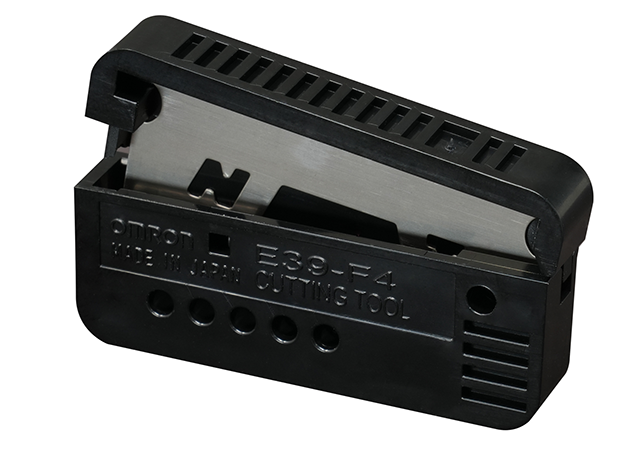 |
20228 | NFC-F01 |
| Fiber adapter ø1.0 mm |
 |
20188 | BF-WLL160-1.0 |
Correct Use
Contact Us
Our experts quickly deliver the best plan for your needs and provide continuous support throughout the process.
Product Inquiry / Technical Support- Download List
- 20